Introducing OnTech Smart Support powered by Assurant®, an app where you’re one tap away from tech support experts and device-specific how-to guides to help with your connected technology needs. Can’t figure out how to pair your smart device? Need help getting your device set up? Want to learn to how to use voice commands or set up routines? We’re here to help!
INCLUDES
Live tech support
Instantly talk to a live tech analyst for help with all of your connected device issues.
Access to personalized how-to Guides
Fix any smart device issue with How- To guides
Access self-help services for troubleshooting with device-specific How-To guides.
OnTech Guarantee
We want you to love your experience. If for any reason you’re not 100% satisfied, we’ll work with you until we get it right.
ONTECH SMART SUPPORT APP
Get unlimited smart support whenever you need it.
$9.99 per month
Plus sales tax if applicable
Personalize your smart home device support
Scan your network to easily inventory and add all of your smart home connected devices.
Ask anything about your connected devices
Can’t figure out how to pair your smart device? Need help getting your device set up? We’re here to help!
Live tech smart device support
Instantly connect with technology pros for live help for all of your connected devices via call or chat.
Fix any smart device issue with How- To guides
Access self-help services for troubleshooting with device-specific How-To guides.
Solve smart device issues with camera share
Share your smartphone screen or camera with a pro to help diagnose smart device issues.
Download the OnTech Smart Support app to get unlimited tech support online or with an expert directly over the phone.
Frequently Asked Questions
What can you access on the OnTech Smart Support app?
You'll have access to:
Benefits information
Tech Support
Additional Services
Device-specific guides
Device inventory
What kind of technical support can I get with OnTech Smart Support?
Whether you have one question or 1,000, we’re here to help you every day from 8 a.m. to midnight EST, excluding major holidays. If you have a question about any connected device, our Personal tech pros will answer it. No matter the brand or the device, we’re here to help you get it set up and play nice with the rest of your gear. Is there a feature you can’t figure out? Open the OnTech Smart Support app for self-help tools or tap “chat” or “call” to connect with a U.S.-based tech pro.
When is my monthly billing date?
Your billing date will be the day of the month you initially enrolled in. If your enrollment date is the 29th, 30th and 31st of the month and that date does not exist in a given billing cycle, you will be billed the last day of the month by default. For any questions or concerns related to billing or the billing date, please call 1-833-ONTECH1
1 OnTech Smart Support is no cost for 1 month with a qualyfing purchase. Once your promotional period expires, you will continue to receive OnTech Smart Support at the rate of $9.99. If you no longer wish to receive this offer, you will need to call or go online. OnTech Smart Support is $9.99 per month which includes access to the OnTech Smart Support App, available to download via Apple or Google Play store.
— null
Contact Customer Agreement
By providing your contact information, including telephone number
you authorize OnTech, or its representatives to use this number to
contact you regarding OnTech products and services through an
automated or predictive dialing system or prerecorded message
system, regardless of whether the number is on any do-not-call
lists or is otherwise registered as a wireless telephone number.
You understand that you do not need to provide a cellular phone
number to receive OnTech services.
Did you receive a code?
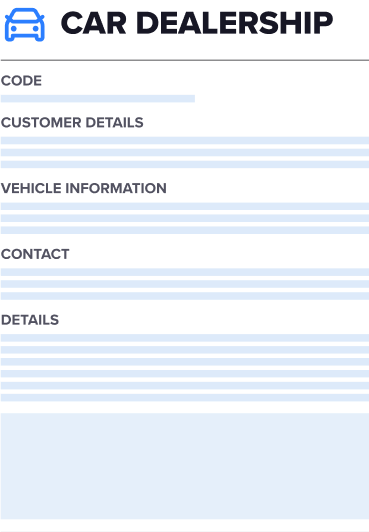
During the purchase of your vehicle, the dealership may have provided you with a unique code. Input your code below to submit. From your cart, you can continue to scheduling your professional installation.
If you don’t have a code at this time or if you didn’t receive one, no worries! Your tech will verify all details during your installation.
Your code should be included in the paperwork provided by the dealership from your vehicle purchase. Look for terms such as “Discount code”, “Partner code”, “Savings code”, or something similar.
No worries if you still can’t find your code! Your EV Pro will verify all details during your installation. Please continue without adding.
You Qualify! Check our service for local discount.
Please insert the customer's CS account #
Please insert the customer's SiteNo
Subscription Overlap
The annual OnTech+ Membership in your cart already includes Smart Support.
Please indicate which plan you would like to keep in your cart